💵 v1.10.9: Colors for Income, Simpler Account Settings, on iPad
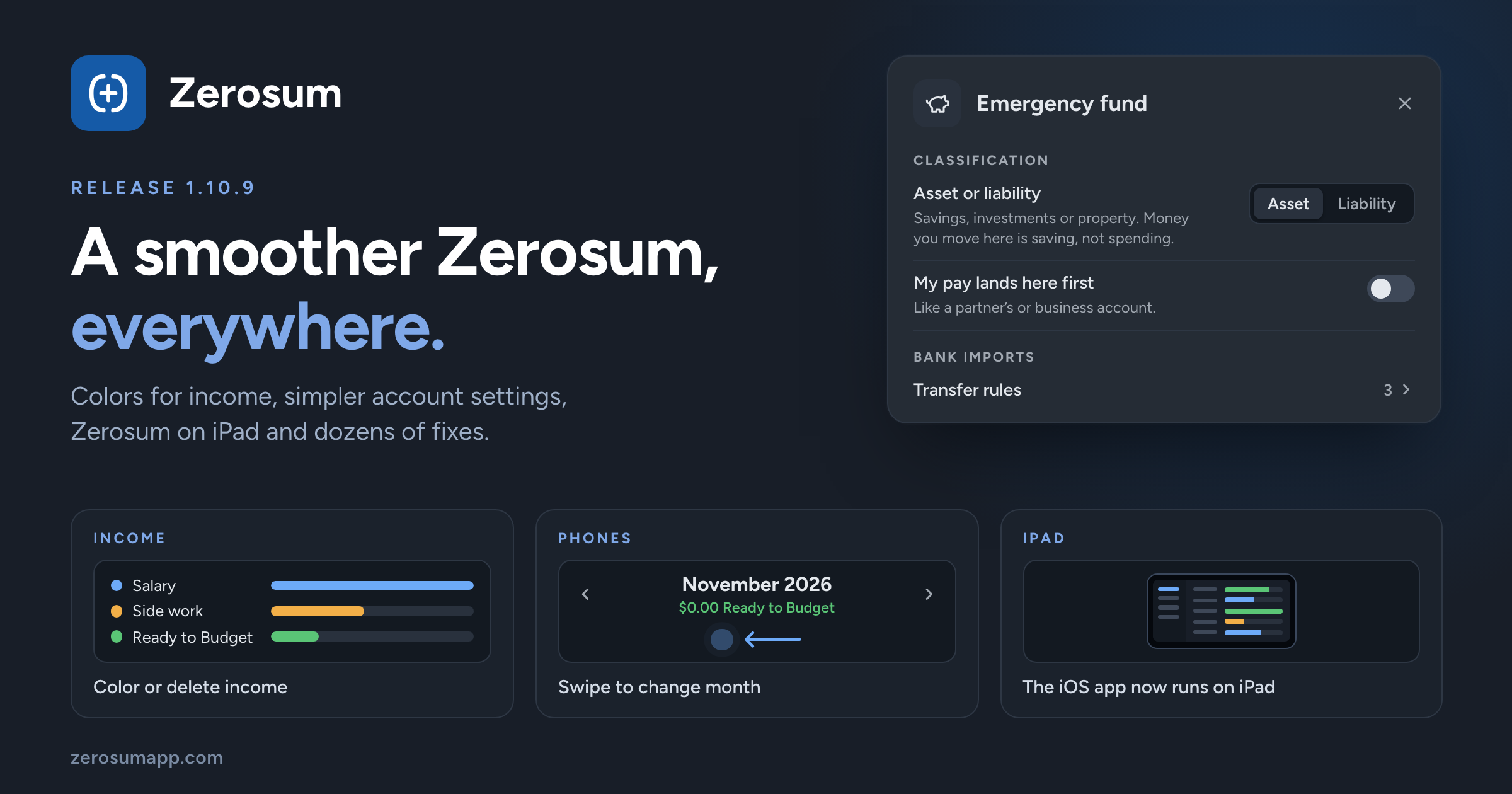
A smoother Zerosum, everywhere. Income categories get colors and can now be deleted, account settings are simpler, and the iOS app runs on iPad. Plus a long list of polish and fixes.
💵 Income categories
- New: colors for income. Give any income category, and Ready to Budget, a color. Income Flow, Breakdown and Income vs Expense use it.
- New: delete an income category. Pick where its transactions go, and it's gone. You can undo it.
- Improved: a cleaner Manage income categories, with Ready to Budget pinned on top and one ⋯ menu per category.
🏦 Simpler account settings
- Improved: account settings are shorter and grouped into clear sections.
- Improved: enter a debt as what you owe. Creating a liability account or a loan asks for the amount owed, no minus sign needed.
- Changed: the transfer category and account settings from 1.10.8 are gone. Zerosum still fills them in for you, so there's one less thing to set up.
- Changed: Transfers is now Transfer rules, and holds only the account's transfer rules.
📱 iPad and phones
- New: Zerosum on iPad. The iOS app now runs on iPad.
- New: swipe to change month on the mobile budget and calendar.
- New: swipe in from the right edge to open the sidebar, in the iOS app and the Home Screen app. The sidebar follows your finger and swipes shut.
- New: haptic feedback when you budget money, Move Money or Cover overspending, and a light tick on each month step.
- New: tap the current tab again to scroll back to the top.
- Improved: Android Back closes what's open, like a menu, a sheet or the sidebar, and leaves multi-select before it goes back. On the first page it minimizes the app.
📊 Reports
- Changed: moving money to savings isn't spending. Transfers to an asset tracking account now show on a Moved to savings line instead of counting as spending. Your budget is unchanged.
- New: My pay lands here first. Turn it on for an account where your pay arrives first, like a partner's account, and its transfers count by category as before.
🎯 Goals and Ready to Budget
- Fixed: past months' Ready to Budget no longer shows money a later month already budgeted. Some past months may now show less.
- Changed: one-time goals end on their due date. After it they stop asking for money, and one that fell short says by how much.
🔗 Match and Unmatch
- Changed: Unlink is now Unmatch, everywhere.
- Changed: the Match shortcut is now Shift+M (it was Shift+L).
💱 Currencies and imports
- Improved: picking a currency sets its number format and symbol position.
- Changed: whole-unit currencies stay whole. Budgets in currencies without everyday cents, such as HUF, TWD and IDR, keep whole amounts.
- Improved: imports from YNAB bring your notes for categories, accounts and months.
- Fixed: Actual Budget files in yen, won or rial no longer import 100 times too large.
→ Import from YNAB · Import from Actual Budget
⌨️ Keyboard and screen readers
- Improved: screen readers can follow the whole app, and a Skip to main content link is the first Tab stop.
- Improved: focus rings are easy to see in light, dark and high contrast.
- Fixed: Escape cancels an amount edit in a Budgeted cell instead of saving it.
🧮 Smaller things
- New: Custom dates in the register's date filter, and an ✕ beside Filters clears them all.
- New: hide side panel sections from Arrange sections.
- Improved: Save & Add Another fills in the category on every new row.
- Fixed: Overview cards no longer say there's nothing to review while they load.
- Fixed: a double tap on a dialog no longer runs its action twice.
- Fixed: Delete goal asks first.
As always, thank you for the feedback that shaped this one. 💙