⚙️ v1.10.6: Every Setting in One Place, Income vs Expense on Your Phone, A More Accurate Credit Card Engine
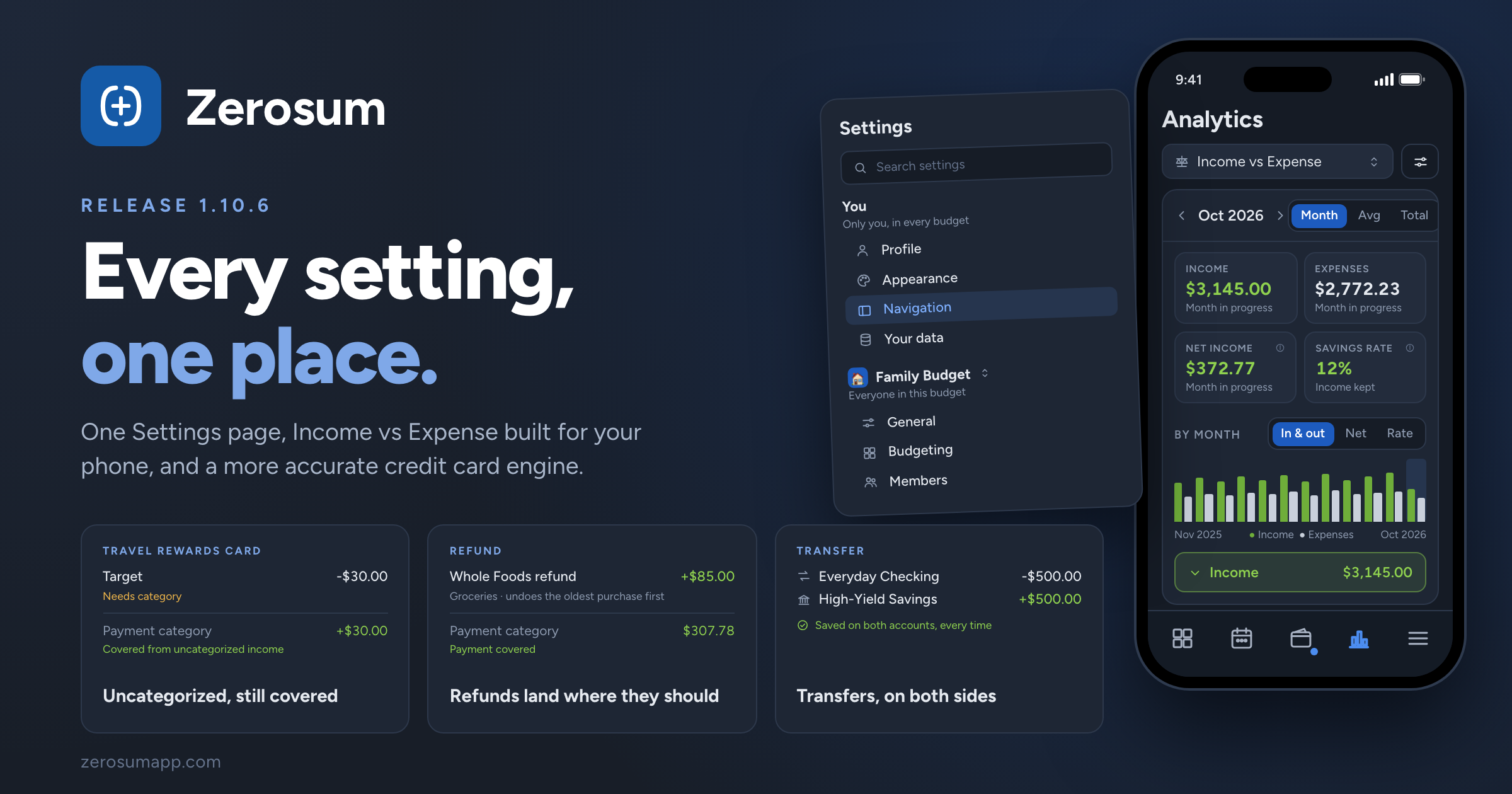
Zerosum's settings now live in one place. Everything about you sits above everything about your budget, on a single page you can search. Alongside it: Income vs Expense built for your phone, a more accurate credit card engine, and transfers that always land on both accounts.
⚙️ One Settings page
- New: Settings, all together. Everything about you (Profile, Security, Appearance, Navigation, Tables and lists, Privacy and device, Your data, Subscription) sits above everything about your budget (General, Budgeting, Accounts, payees and tags, Members). Search finds any setting, from the page or the command palette.
- Changed: the Budget Settings dialog is gone. Name, color, currency and formats live in Settings → General; Set aside, Carry over negative balances and Expected income in Settings → Budgeting. Payees, Tags and Income categories moved there too.
- Changed: Home page and Mobile tab bar are now under Settings → Navigation, with Dark sidebar and Compact sidebar.
- New: your budget's time zone is a setting. Zerosum no longer guesses it from your browser. Check Settings → General → Time zone if you've moved, or tap Use this device's time zone.
- Changed: budget members can change budget settings (except the time zone). Duplicating, deleting, inviting and bank linking stay with the owner.
- Improved: one View button per page. Budget, registers, Overview, dashboards and Analytics each keep their view options in one place.
- Fixed: menus that ran off the screen. Menus and popovers now open toward the room they have and scroll when they're tall.
→ Settings
📱 Income vs Expense, built for your phone
- New: a full-page report. Step through months, or switch to Average per month or Total. Income, Expenses, Net Income and Savings Rate are compared with your average, so a high-spend month stands out.
- New: the By month chart switches between In & out, Net and Rate. Tap a month to jump to it.
- New: open any row's trend. Every income source and category has a month-by-month strip, and tapping a name opens that month's transactions.
💳 A more accurate credit card engine
Three rules changed in how Zerosum sets money aside to pay your cards. Your account balances and transactions are untouched; some money may have moved between Ready to Budget and your card payment categories.
- Uncategorized card purchases are now covered. Before, a card purchase with no category set nothing aside, so the card's payment category came up short while that money sat in Ready to Budget. Now it works like any other category: if you have money that came in without a category (a paycheck you haven't categorized, say), it pays for the uncategorized purchase and moves to the card's payment category. Example: you get paid $50 and leave it uncategorized, then spend $30 on your card and leave that uncategorized too. Before, Ready to Budget showed $50 and the payment category $0. Now the payment category holds $30 and Ready to Budget $20.
- Refunds and credits on a card you still owe on. A refund now first undoes your earlier spending in that category on the same card, oldest purchase first. Anything left cancels spending that had no money behind it, on any of your cards. Whatever remains goes back to the category. Before, a refund could skip an earlier purchase and leave money in the wrong card's payment category.
- A card's payment category is only for payments to that card. To record a payment, set the payee to the account the money comes from; the category is handled for you. Picking it on a regular purchase is no longer possible.
If your budget was affected, you have an email from us with what changed and what to check.
🔁 Transfers, always on both accounts
- Fixed: a transfer could be saved on only one account. Every transfer now lands on both accounts the moment you save it, including transfer lines inside a split. Affected budgets were repaired and their owners emailed.
- Changed: you can't move a transfer onto the account it transfers to. The account picker no longer offers it. Change the transfer first, then move.
- Fixed: approving a transfer whose other account is closed now works, and rejecting a scheduled transfer removes both sides.
🧮 Smaller things
- Improved: YNAB imports keep split lines in the order YNAB shows them, which matters for credit card balances.
- New: group actions on iPad. Each category group has a ⋯ button for Edit, Hide and Delete.
- Improved: the register toolbar puts Reconcile last.
- Fixed: chart tooltips no longer stay on top of menus you open, and the Categorize tooltip no longer covers the picker.
As always, thank you for the feedback that shaped this one. 💙