🎁 v1.9.9: Gift a Year of Zerosum, Hide Your Amounts, Pick Your Look
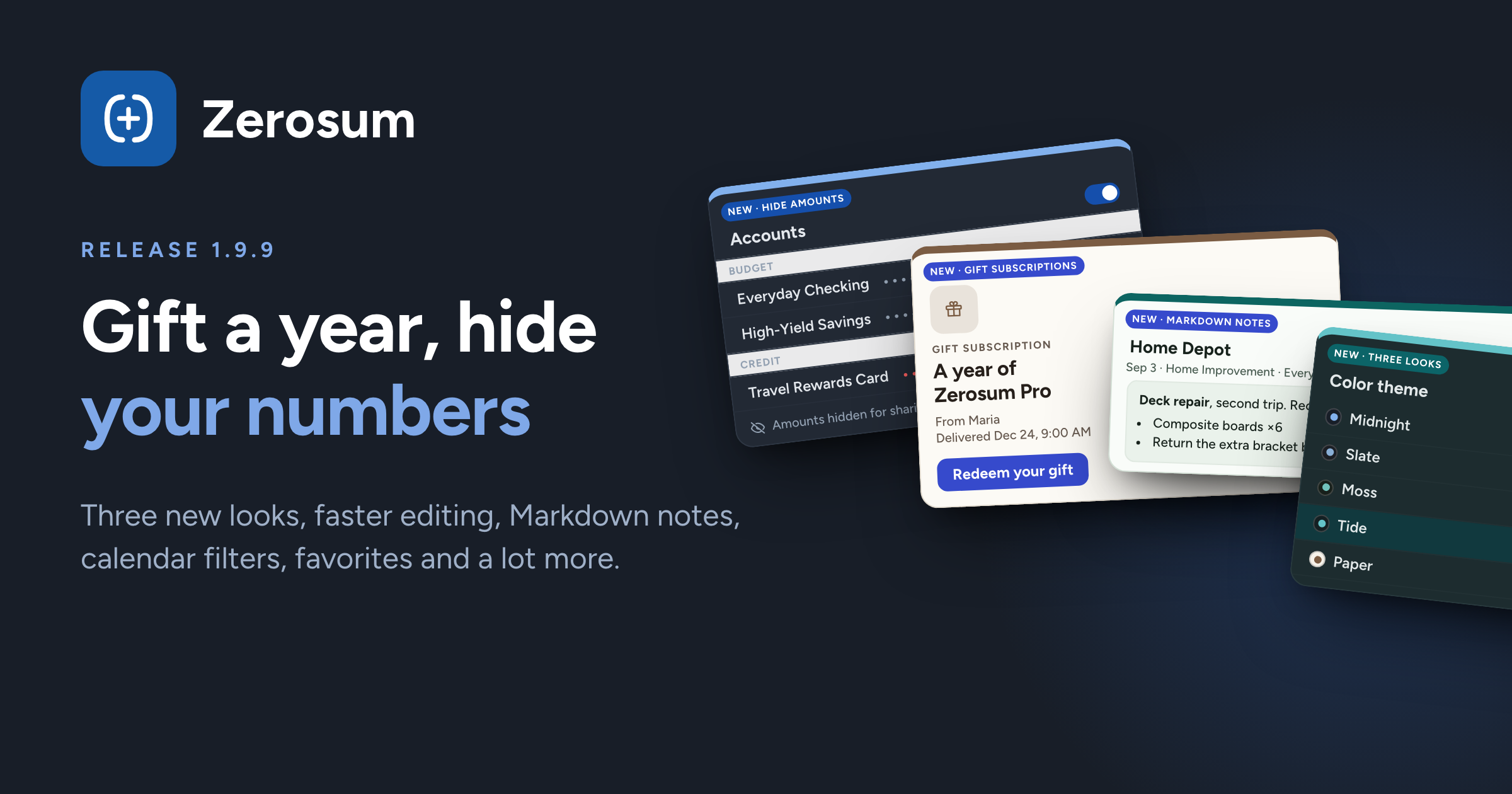
The biggest release since the summer. Gift subscriptions are here, a new Hide amounts mode keeps your numbers private on a shared screen, three new looks join a richer dark mode, and the register got noticeably faster.
🎁 Gift a year of Zerosum
New: gift subscriptions. Give someone 12 months of Basic ($30), Plus ($50) or Pro ($75) from the website. Pick the delivery date, time and time zone, and the recipient gets a code by email when you chose. If they already subscribe, the gift waits its turn and starts when their current plan ends.
🙈 Hide your amounts
New: Hide amounts. One switch in the sidebar (and in Settings) masks every figure across budgets, accounts, transactions, the calendar, loans and analytics. Everything still works underneath, so you can share your screen or budget on the train without showing the numbers.
→ Settings
🎨 Three new looks and a richer dark mode
New: Slate, Tide and Moss. A cool gray, a sea blue and a sage look, each with its own light and dark mode, alongside Midnight, Lavender, Rosewater, Paper and Ink.
Dark mode got depth. Every dark theme now has a clearer step between the sidebar, the page and its cards, and the base dark and Paper dark carry real color instead of flat gray.
The picker shows you the real thing. Each theme's dot now previews its background and accent for the mode you are in.
✏️ Transactions
New: change the account while editing. Move a transaction to another account right from the editor, on desktop and mobile, instead of going through Move.
New: notes render as Markdown. Bold, links, lists and code, up to 2000 characters.
Clear a category anywhere. Every entry surface, split rows included, lets you remove a category, even one a payee filled in for you.
Edit payee rules in place. Fix a typo in an auto-categorize or transfer rule without deleting and recreating it.
→ Transactions · Manage Payees
🏦 Accounts
New: Favorites. Star an account and it sits in its own Favorites section at the top of the sidebar and the Accounts page. A "Favorites at the top" switch in sidebar customization hides the section if you prefer.
Redesigned Add and Edit Account. One clean settings list, a clearer bank-sync block, and less clutter, on the loan setup step too.
📅 Calendar
New: account and payee filters. Hide tracking accounts or specific payees and see only the cash flow you care about.
→ Calendar
📊 Analytics and goals
Savings rate leads with the trailing 12 months. One bonus month no longer swings the chart; the caption says which months are in, and the per-month view is still there.
Income Ratio targets can be "at most." Keep Fun under 20% and the green and red finally point the right way.
Loan what-if shows what an extra payment buys. Interest saved and months cut, compared with your current plan.
Weekly and biweekly goals say what they fund. "Budget $50 by the 19th" and "Budget $300 for the rest of the month" are now separate, clearly labeled choices. Open-ended savings goals also show real progress in Combined view instead of a full bar.
→ Analytics & Reports · Budget Goals
⚡ Faster
Editing no longer reloads the register. Editing, approving, moving or deleting transactions in a large budget updates in place instead of refetching the whole list.
The app loads lighter. The first download is 41% smaller, sign-in reaches your budget in fewer round trips, and the sidebar no longer flashes a skeleton that pops into place.
Thank you for being here. ❤️