📥 v1.10.8: Drop Bank Files to Import, Plan Ahead, Bank Sync for Everyone in a Shared Budget
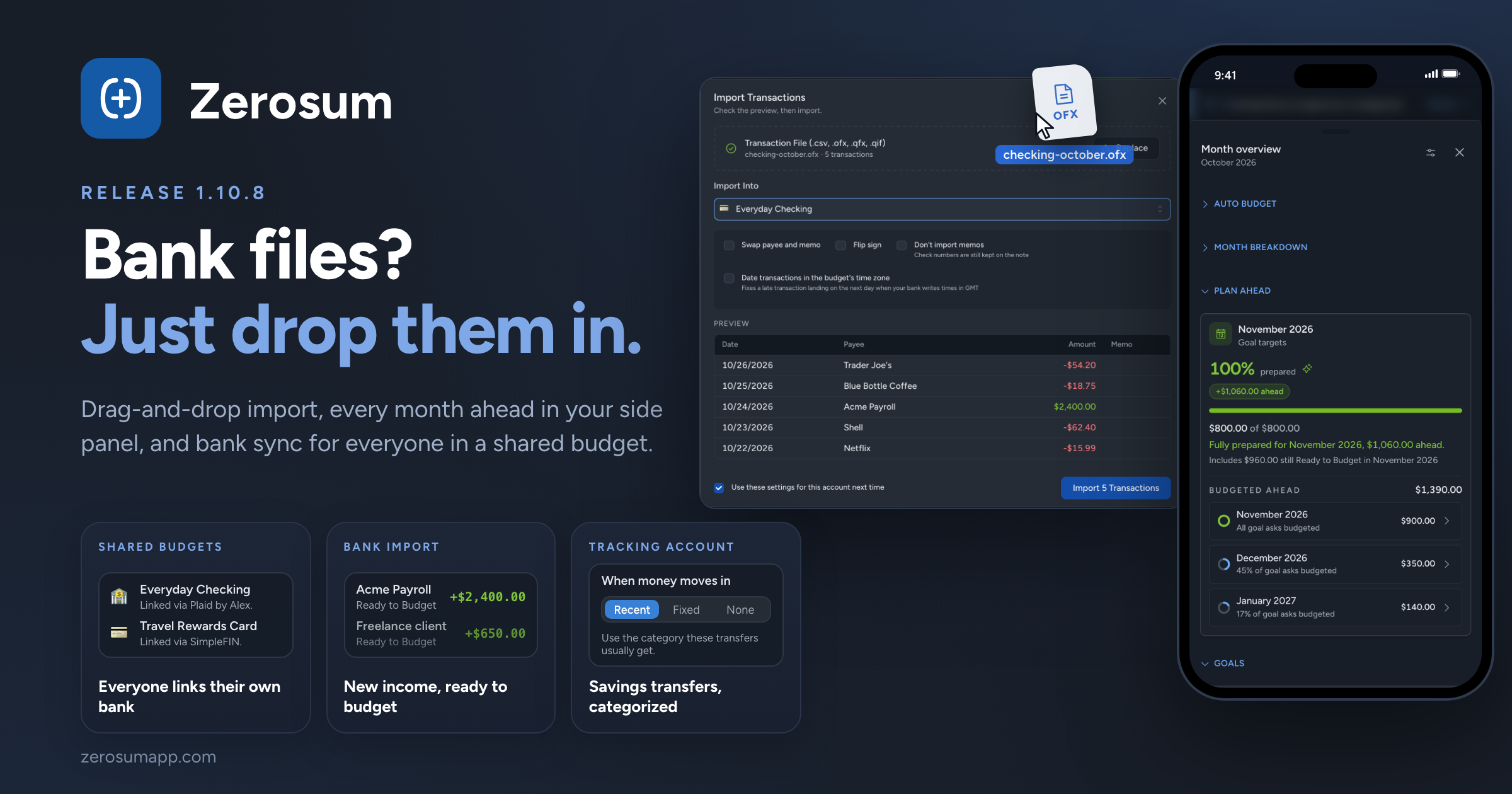
Importing a bank file is now drag and drop. Drop one or several exports anywhere in a budget and Zerosum takes it from there. Alongside it: every month you've budgeted ahead in your side panel, bank sync for every member of a shared budget, and bank matching that catches the bills you already approved.
📥 Drop bank files to import
- New: drop files anywhere. On a computer, drag bank exports (CSV, TSV, OFX, QFX or QIF) onto any budget page and the import opens with your files read. Drop several at once and they import one after another. A file holding several accounts steps through each one.
- New: Zerosum remembers where each bank account goes. The next file from the same bank account goes straight into the account you picked last time. Only the last four digits are kept, never the full account number.
- Improved: no more duplicated history. Transactions dated before what the account already holds, or before your last reconciliation, are left out. One click brings them in: Include N transactions dated before…
- Improved: dates you can trust. When a file's dates could be read two ways, Date Format shows a date from your file read each way. QIF files remember your choice, and OFX and QFX files can be dated in your budget's time zone.
- Improved: one summary at the end. Importing several files ends with a single summary naming every account, including how many transactions matched ones you'd already entered.
- Changed: new income lands in Ready to Budget. Money coming into a budget account from bank sync or a file now lands in Ready to Budget instead of Needs category, when no payee or rule gives it a category. A payee's remembered category still wins.
- Fixed: importing from Actual Budget works again.
📅 Plan Ahead in your side panel
- New: every month ahead, at a glance. The side panel's Next Month Coverage is now Plan Ahead. Next month stays on top. Below it, every future month you've budgeted shows the amount budgeted there and a ring for how much of that month's goals is covered. Click a month to open it.
- New: know before a later month runs short. If budgeting ahead leaves a later month's Ready to Budget below zero, Plan Ahead names the month and the amount.
🤝 Shared budgets, with bank sync for everyone
- New: members can link their own bank accounts. Anyone in a shared budget whose plan or trial includes bank sync can now link accounts into it, not just the owner. Each account shows who linked it ("Linked via Plaid by Alex"), and only that person can reconnect it. If someone leaves or is removed, their accounts become manual and keep their history.
- New: see who uses each seat. Settings → Members now has Sharing across your account, listing everyone who holds one of your seats and which of your budgets they're in, so you can free a seat from any budget.
→ Sharing & Collaboration · Bank Sync
🏦 Smarter bank matching
- Fixed: a scheduled bill could land twice. When a bill you already approved from your bank later comes due as a scheduled transaction, the two now match and go to review as one. Unlink separates them.
- Improved: a match fills in the blanks. Approving a match gives your transaction the bank's payee, category or receipt wherever yours was empty.
- Changed: amounts follow your bank. When your bank changes the amount of a transaction you already approved, it updates quietly instead of adding a correction to review. Amounts you edited yourself are kept.
→ Reviewing, matching & linking
🔁 Transfers to tracking accounts
- New: a category for money moving into a tracking account. Choose Recent, Fixed or None under When money moves in, on the account's Transfers step in Manage payees. Transfers you enter, and imports a transfer rule records, start with it instead of landing in Needs category.
- Improved: Recent follows your habit. It uses the category most of your last five transfers agree on, so a one-off pick doesn't change it.
🧮 Smaller things
- Improved: "Did you mean" for payees. Typing part of an existing payee no longer shows a warning, and a near miss like "Cofee Shop" offers the existing payee instead.
- Improved: quick actions (Cmd/Ctrl + K) put the best matches first across every group, and list every command before you type.
- Improved: Income vs Expense has Collapse all and Expand all buttons under View that fold and open every section, not just the groups.
- Fixed: Spending Trends' top 10 no longer swaps in a category whose refund cancelled out its spending.
- Fixed: number fields such as Repeat every and After total occurrences can be cleared and retyped.
- Fixed: account groups in the sidebar no longer flip open and shut when Zerosum is open in two windows.
- Fixed: currency symbols such as Ft, Kč and zł keep their case in headers.
As always, thank you for the feedback that shaped this one. 💙