🌱 v1.11.0: Money Age, Easier Splits on Your Phone, Retirement in Today's Money
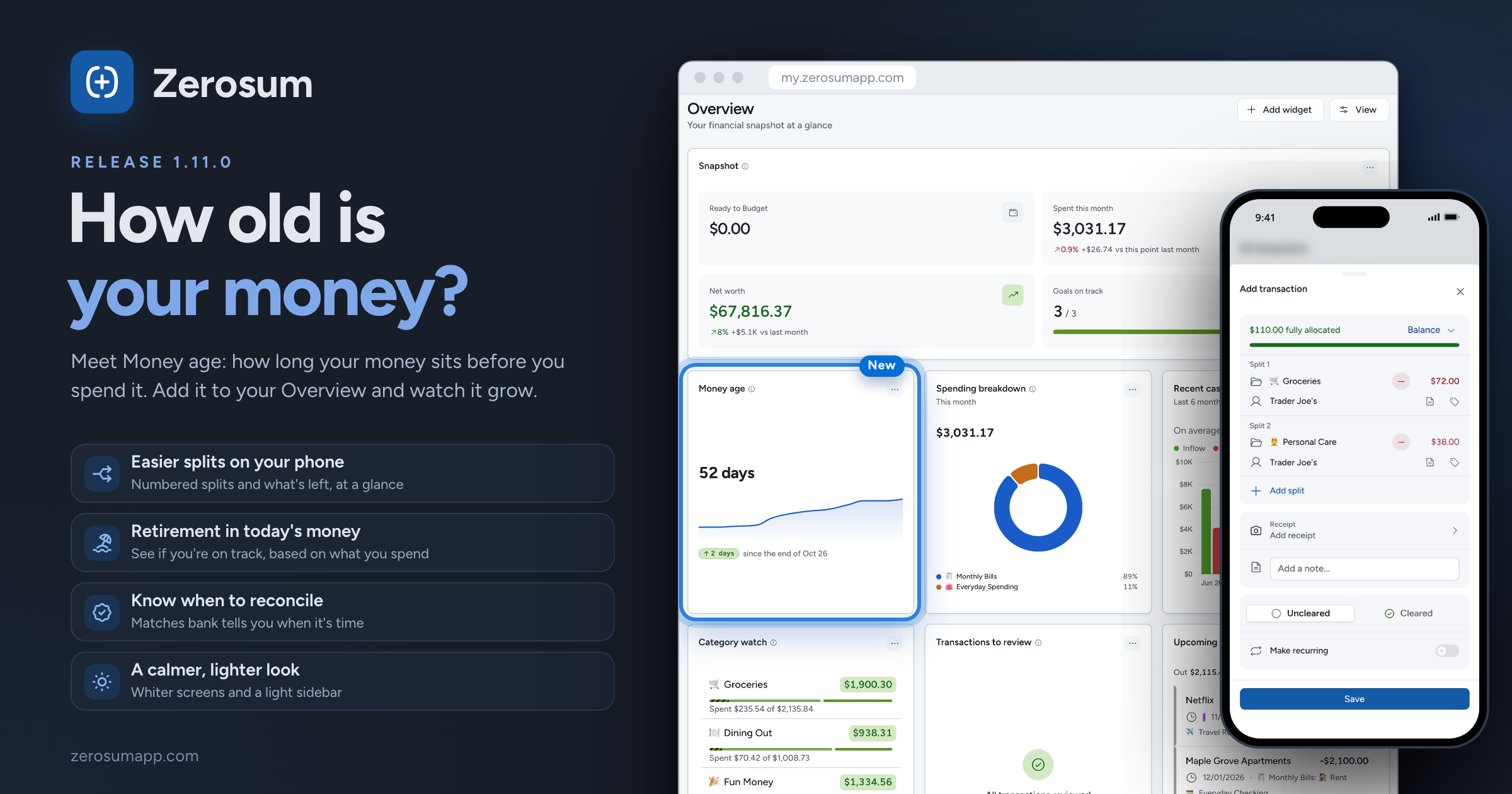
How old is your money? This release adds Money age, one number that shows how far ahead of your bills you are. Splitting a transaction on your phone is much easier to follow, Retirement now tells you whether you're on track, and the whole app has a lighter, calmer look.
🌱 Money age
- New: Money age. How long, on average, your money sits in your accounts before you spend it. Zerosum spends your oldest money first, so a bill you pay today with money that arrived 40 days ago is 40 days old. Money age is the average of your last 10 payments.
- Aim for 30 days or more. Past the One month line, this month's bills are paid with money that arrived last month, so a late paycheck or a surprise bill doesn't catch you short.
- Where to find it: open Money age in Analytics for the monthly chart, or add the Money age widget to your Overview or a dashboard.
- What counts: money leaving your budget accounts. A credit card purchase counts when you pay the card, and moving money between your own budget accounts doesn't count. A new budget sees it after its first 10 payments.
✂️ Easier splits on your phone
- Improved: Split is always in reach. The Split button now sits at the top of the category picker, so the keyboard can't hide it.
- Improved: easy to follow. Each split is numbered (Split 1, Split 2), the one you're typing into stays in view above the keypad, and one line tells you where you stand: "$10.00 left of $110.00", "$110.00 fully allocated" or "$5.00 over $110.00". Balance spreads what's left evenly or by size.
- Fixed: what you see is what's saved. Adding a split no longer types into the one above, a calculation you cancelled is no longer saved, and a split left at $0 no longer blocks saving.
- Changed: split transactions read 2 splits in your register.
🏖️ Retirement, in today's money
- New: are you on track? Retirement now answers it plainly, like "On track to retire at 65": what you'd have at your retirement age next to what you need, and how long it lasts.
- New: plan on your own spending. What you need comes from what you spend now, your average over the last 12 complete months. Under Spend in retirement you can set your own amount a month instead.
- New: try it out. Drag Retire at and Save a month to see the answer change, or pick Set to … to get there for the monthly saving that reaches it.
- Changed: amounts are in today's money. A new inflation setting (2.5% to start) shows what future amounts would buy today, so your numbers may look smaller than before. Your plan itself hasn't changed.
- Fixed: only the accounts you tick count. An account you add later stays out of your plan until you tick it.
🎨 A calmer look
- Changed: lighter, quieter screens. In the default Midnight theme, tables, cards and menus are now white, small labels use normal capitalization instead of small capitals, and budget pills are softer so your numbers stand out.
- Changed: the sidebar is now light in light mode. It used to be dark by default. If you preferred it, turn Dark sidebar back on in Settings → Appearance.
- Improved: Appearance settings are grouped into Theme, Readability, Colors and icons, and Density. On a computer, Color theme in your account menu now switches themes in place.
- Changed: once you've budgeted everything, Ready to Budget says Nothing left to budget.
✅ Know when it's time to reconcile
- New: Matches bank. A linked account now shows a green Matches bank badge when it's ready to reconcile in one step: your bank's balance (updated in the last day) equals your cleared balance exactly, and you have cleared transactions that aren't reconciled yet. Click it in a wide window, then Looks good. Once you reconcile, the badge goes away until new transactions clear and the balances agree again.
- New: see when you last reconciled. Otherwise the account header and the Accounts page say "Reconciled 12 days ago" or "Never reconciled".
- Improved: a clearer reconcile window. Bank balance and Cleared in Zerosum now sit one above the other with their amounts lined up, so a swapped digit stands out. The difference is said in words, like "Your bank shows more than Zerosum", and you're told when the bank's balance is more than a day old.
📊 Analytics
- New: share your net worth as an image. Share on the Net worth chart makes a picture of your progress to download or send. Turn off Show amounts to keep the numbers private. In the iPhone and Android apps, update the app to use it.
- Improved: see what's behind a chart. Pick a bar, slice or row and its transactions open in the panel beside the chart. Back returns to the list.
- Improved: one Filters button now holds accounts, categories, payees and tags.
- Fixed: fair comparisons for the month in progress. Early in a month, comparisons used to show a big false drop. Now the month so far is compared with the same days: November 1 to 7 against October 1 to 7. This covers the "vs last month" widgets, the Spending, Income and Savings rate widgets, Year over year and the budget side panel's Spending trend. This year compares with the same dates last year.
- New: choose the comparison. The Category monthly tracker can compare with This point last month or All of last month, and shows 0% instead of a blank when nothing changed.
- Changed: money moved to savings isn't spending in the budget side panel either, matching your reports. Income breakdown now shows each category's savings flowing to the account it went to, like To Workplace 401k.
- Fixed: filtering By tag to a few tags now charts only those tags.
📱 In the apps
- New: screens slide in and out like a native app when you open an account or a report, on recent iPhone and Android versions.
- New: tap the top of the screen to scroll up on iPhone.
- Improved: account pages open faster on phones, with no flicker.
- Fixed: opening a "transactions to review" notification no longer flashes All reviewed before your new transactions appear.
🧠 Smarter autofill
- Fixed: changing the payee changes what it filled in. The old payee's category and tags no longer stick around. Anything you picked yourself stays.
- Improved: steadier category suggestions. On Recent, a payee suggests the category most of its recent transactions used, so a one-off pick won't change it, and deleted or undone transactions no longer count.
- Changed: a hidden category is never filled in automatically. Manage payees tells you when a payee's fixed category is hidden.
🧮 Also in this release
- Changed: closing an account does more. It also unlinks its bank, stops its recurring transactions (including transfers from other accounts) and deletes its scheduled ones. For a loan, it frees its category for a new loan. One Undo brings everything back.
- New: support access. When you ask us for help, any member of the budget can let support see it with Let support view this budget in Settings → Members. It turns off by itself after 30 days, and every visit is listed with what was looked at and why.
As always, thank you for the feedback that shaped this one. 💙