🧭 v1.10.7: Your Accounts in the Collapsed Sidebar, Notifications for Every Budget You Share
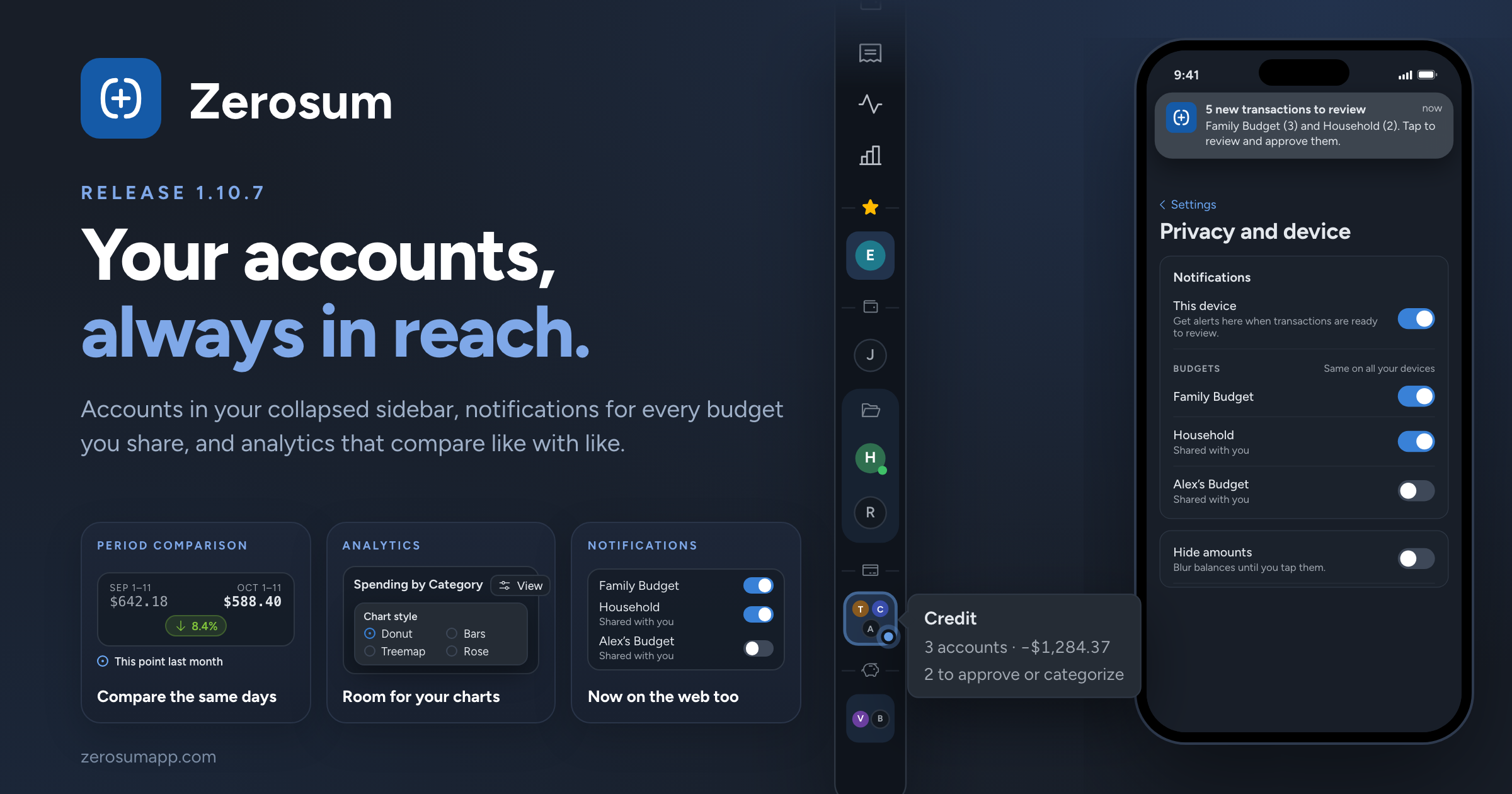
Your accounts now stay with you when you collapse the sidebar. They follow the way you've folded them, with your review badges in view. Alongside it: choose which budgets send you notifications, including ones shared with you; analytics that compare the same days and give your charts more room; and recurring edits that keep this month's bill in this month.
🧭 A sidebar that keeps your accounts
- New: your accounts in the collapsed sidebar. Collapsing the sidebar on a computer no longer hides your accounts. Each one shows as its image, logo, emoji or initial, with its sync and review badges. Hover over one, or Tab to it, to see its name and balance, and right-click it for the same actions as before.
- New: folded stays folded. Sections and account groups you fold in the full sidebar fold in the collapsed one too, as a single tile showing their first accounts and how many transactions are waiting for review. Click the tile, or the icon on a section's divider, to unfold it.
- Favorites appear once. While Favorites is open, your favorite accounts sit at the top and aren't repeated below. Fold Favorites and they go back to their own sections.
- Manage payees and Manage tags are back in the budget menu. The command palette (Cmd/Ctrl + K) also opens them directly, along with Accounts, All Transactions and Bank Sync.
🔔 Notifications for the budgets you choose
- New: choose which budgets send you review notifications. Settings → Privacy and device → Notifications has a switch for every budget you own or were invited to, and your choices are the same on all your devices. Budgets you own start on; budgets shared with you start off, so your partner can now turn on notifications for your joint budget. Each person chooses for themselves.
- Improved: notifications name your budgets. When more than one budget notifies you, the notification lists each one with how many transactions are waiting there.
→ Settings
📊 Analytics that compare like with like
- Changed: Period Comparison compares the same days. Early in the month, it now compares this month so far with the same days of last month (Oct 1–11 against Sep 1–11), just like the Overview's Spent This Month. Prefer the whole month? Choose All of last month under Compare spending with in the widget's settings.
- Improved: one View button per chart. Grouping, chart style, visibility and the forecast horizon moved into a compact View button at the right of each chart's header, so the chart gets the room. On your phone it opens as a sheet. To customize the analytics bar, use the cog next to New dashboard in More.
- Improved: more of Income Breakdown opens transactions. Expense groups and categories now open the transactions behind them, like income sources already did, with refunds, split lines and pending bank rows counted correctly. The details that sat below the chart are now under View → List.
- Changed: Exclude current month keeps the whole range. Last 3, 6 and 12 Months with Exclude current month now cover that many complete months, so Last 6 Months matches your budget's 6-month average. A new budget averages over the months it has.
- Improved: your chart choices stick. These now survive a reload:
- Year over Year's Spending, Income or Net;
- what Income Breakdown shows;
- the phone Income vs Expense's Month, Average or Total, and its In & out, Net or Rate chart.
🔁 Recurring edits that keep this month
- Fixed: changing the day could skip a month. Moving a monthly bill from the 15th to the 10th now makes the next one Nov 10 instead of Dec 10, unless Nov 10 has already passed. Weekly and yearly series work the same way.
- New: see the next occurrence before you save. When you edit a series, Next occurrence updates as you change its schedule.
- Fixed: moving an occurrence past the series' end date. The series now ends and keeps that transaction as a one-off, instead of leaving it impossible to edit or delete. Undo brings the series back.
→ Scheduled & recurring transactions
🧮 Smaller things
- Fixed: arrowing through scheduled transactions in a register no longer jumps the page to the top. It scrolls only when your selection reaches the edge.
As always, thank you for the feedback that shaped this one. 💙