💸 v1.11.3: Ready to Budget on Your Phone, Whole-Goal Bars, Recent Transactions
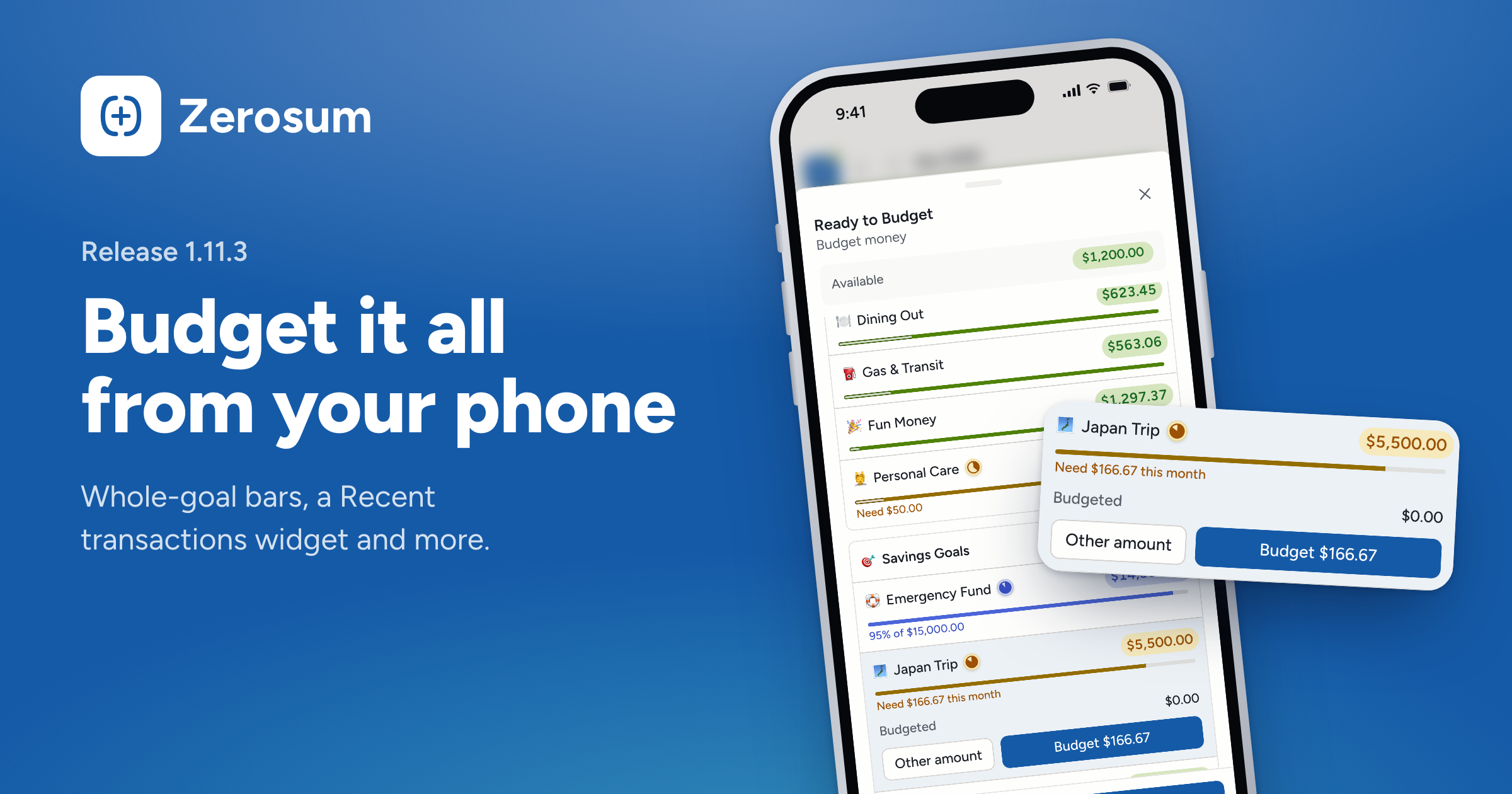
Money left to budget? On your phone, tap Ready to Budget and see every category that needs money, with one tap to fund each. Goals that reach past this month now show the whole goal on the row bar, and Overview gets a Recent transactions widget.
💸 Ready to Budget on your phone
- New: a list of what needs money. With money left to budget, tap Ready to Budget on the Budget page to see every category in budget order, with what each one needs in the same words as your budget ("Need $100.00 by the 25th", "Overspent by $12.40", "Funded").
- New: fund it in one tap. Tap a row to open it, then tap Budget $X, or Other amount to type your own. The next row that needs money opens for you. A category with no goal offers Match last month, and Budget all at the bottom funds everything Ready to Budget can cover.
- New: cover overspending the same way. Tap the overspent banner on the Budget page to see each overspent category in one list, with Cover $X on each row and Cover all when Ready to Budget has enough.
- Changed: Move money and Budgeted, rebuilt. Both sheets now start from the category you tapped and show its Available before and after. You only pick the other side, and the button tells you what's missing ("Choose where it goes").
🎯 Goals
- Changed: row bars show the whole goal. For goals that reach past this month (a dated target, a yearly bill, a capped refill), the bar on your budget now fills against the whole target. A $1,000 goal no longer looks full just because this month's $125 is in. The goal card still shows This month and Whole goal separately.
- Changed: a tick means funded. The goal icon shows a tick only once the goal is funded. A goal that's on track for this month stays a pie, in green, filled as far as its bar.
→ Row bars · Budget Goals
📊 Overview
- New: Recent transactions widget. See the latest transactions from your register on Overview, for every account or just the ones you pick. View all opens the register.
- New: pick what Category watch shows. In its settings, choose Favorites as before, or Custom to list the categories you pick, and add as many Category watch widgets as you like. Turn on Compare with usual spending to see what you usually spend by this point in the month.
- Changed: Monthly net is now Net cash flow. Same numbers: the money into your accounts minus the money out.
🧾 Transactions and bank sync
- New: All Transactions has its own Reconciled and Scheduled switches. Hide reconciled rows in your account registers and keep them on All Transactions, or the other way round, from View in each register. Nothing changes until you change it.
- Changed: view settings grouped like the View panel. In Settings → Budget and transactions, the Transactions card now has Rows in account registers and Rows on All Transactions. All view settings in the View panel takes you there.
- Improved: Plaid banks bring new transactions in sooner. Linked Plaid accounts now sync as soon as your bank has something new, with no daily limit.
- Changed: connections broken for 30 days are removed. If a Plaid or SimpleFIN connection hasn't synced for 30 days, it's removed and we email you. Your accounts turn manual and every imported transaction stays. Link the bank again from Bank Sync whenever you're ready.
🗓️ Using Set aside for next month?
- New: set aside the rest in one tap. With Set aside for next month on in Settings → Budgeting, the Ready to Budget popover on a computer now shows Set aside remaining $X. On your phone, it's under the total in the set-aside editor. Not using it? Nothing changes.
🧮 Also in this release
- Improved: the budget page and registers are quicker, and saving a transaction is faster on a computer. Going Back to a register returns you to the row you left.
- Changed: one thin scrollbar look on a computer. The sidebar and side panels show theirs only while your pointer is over them.
- Fixed: on a computer, the sidebar stays open or folded the way you left it.
- Improved: Increase contrast in Settings → Appearance now makes row highlights stronger in light themes too.
- New: Email preferences in Settings → Profile lets you choose which product update and feedback emails you get.
- Improved: budget invites now name the invited email address, so you know which one to sign in with.
- Improved: the maintenance page now has a Check status button and takes you back to the app by itself once we're done.
- Fixed: pressing Undo many times in a row no longer fails partway through.
- Improved: small icon buttons are easier to tap on a phone, such as a group's ··· menu and the goal card's buttons.
- Fixed: a snoozed goal's row is the same height as the rows around it, and long group names in Organize categories end in "…".
As always, thank you for the feedback that shaped this one. 💙